
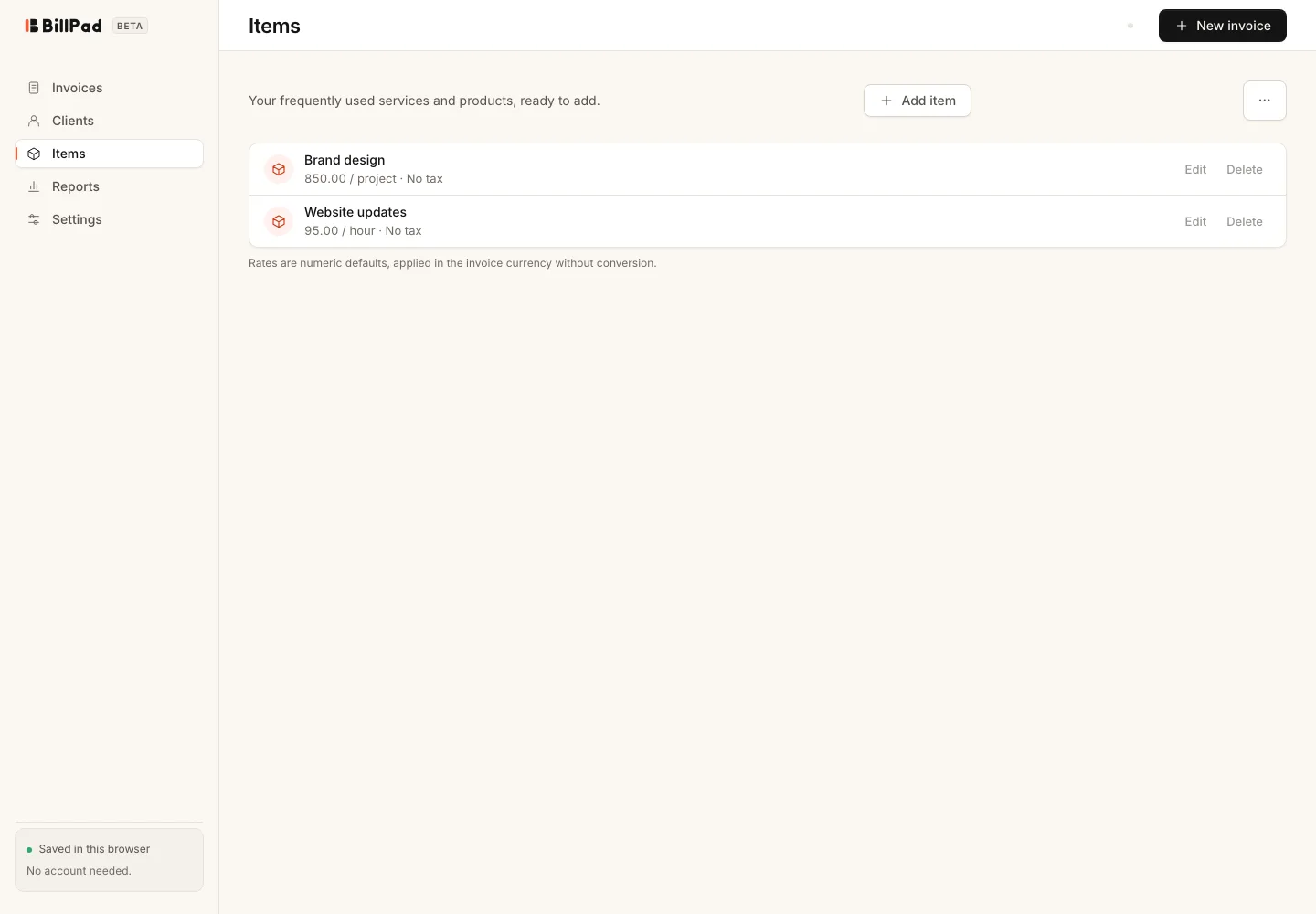
The Items area holds frequently used products and services. Save a clear description and rate once, then choose the item when building an invoice. The catalogue is a convenience for invoicing, not an inventory or stock-control system.
Save an item
- Open Items and choose Add item.
- Enter the description and rate.
- Add a unit if it helps describe how the work is billed.
- Review Taxable and choose Save item.
- Open an invoice and choose Add saved item to select it.
You can also create a catalogue entry with + New item in the invoice's Saved items picker. Always check the inserted rate and quantity for this particular job.
Import and export a catalogue
Open the options menu in Items for Import file, Export CSV, Export Excel or Download template. For another app's export, open Settings, choose Start import under Switch to BillPad, then select Products.
Files must be CSV or XLSX with column names in the first row, within 5 MB and 5,000 rows. XLSX imports read the first worksheet. Check the preview, map unfamiliar headers and review skipped rows before confirming.
Good to know
Product imports match case-insensitive SKU first, then normalised name. Skip preserves an existing match; Update changes mapped fields. The catalogue holds up to 5,000 items, and existing records can still be updated at capacity.
Prices use the workspace currency. Saved item prices do not carry out currency conversion when added to an invoice. Tax information can also need review, especially when importing combined tax rates or inclusive prices from another app.
Stock quantities, purchasing accounts and inventory settings from other systems are not imported as stock-management features. Keep your original export so you can investigate any skipped rows or compare a converted selling price against the source before using the catalogue for live invoices.