
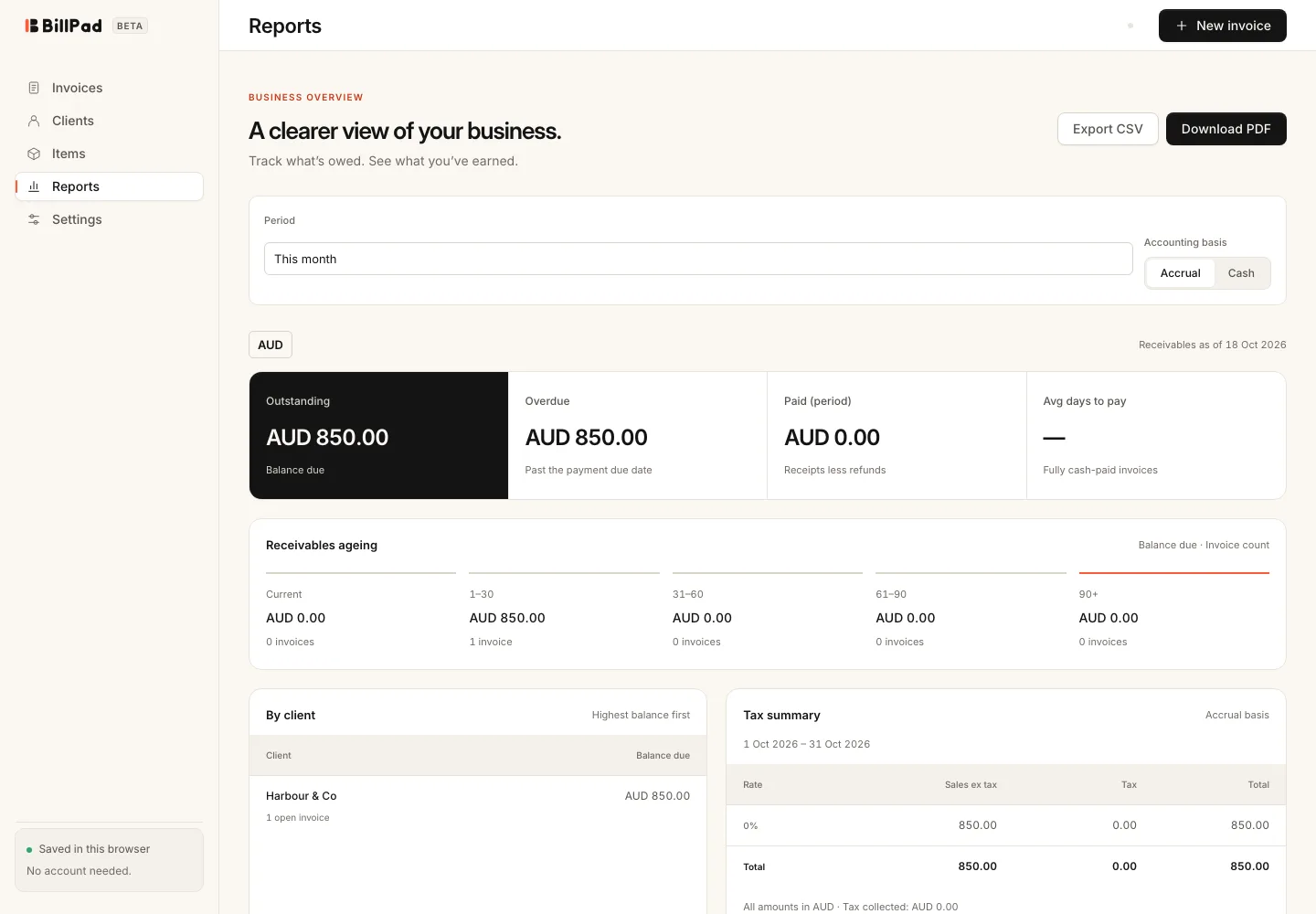
Reports brings receivables, ageing and tax figures together. Choose the right period and accounting basis before comparing totals with another system. BillPad keeps currencies separate, so figures in AUD and USD are not combined into one converted amount.
Choose the report view
- Open Reports.
- Set Period to This month, Last month, This quarter, Last quarter, This financial year or Custom.
- For Custom, enter From and To.
- Under Accounting basis, choose Accrual or Cash.
- Read How these reports work if a total differs from what you expected.
- Choose Export CSV or Download PDF to save the current report.
Understand the figures
Receivables show balances as of today after partial payments, issued credit notes and applied client credit. Ageing groups outstanding amounts by how far they are from their due dates. Changing the reporting period does not turn today's receivables into a historical balance snapshot.
Tax and paid totals use the selected period. Issued invoices and credit notes are included, including archived documents. Drafts, quotes and samples are excluded. Paid totals count each client receipt once, including unallocated cash, less refunds.
Cash and accrual
Accrual uses issue dates and subtracts issued credit notes. Cash tax uses dated invoice payments capped at invoice value, and subtracts credit note refunds on their refund dates. Internal credit transfers and unallocated client credit are excluded from cash tax. Partial receipts are allocated proportionally across the tax calculation.
Good to know
Imported payment dates may be inferred where the source file has no paid-date column. This can affect which period contains the receipt. Check the import warning and original records before relying on a period comparison.
A report explains BillPad's stored records; it cannot recover missing invoices or infer transactions never entered. Correct the underlying record, then export again if you find a discrepancy.