
Recurring schedules create invoices for repeated work when BillPad is open on your device. They are useful for regular services with a predictable client, description and amount. They do not send invoices automatically or charge a client on a schedule.
Create a schedule
- Open an invoice with the client and line items you want to repeat.
- Choose More, then Make recurring.
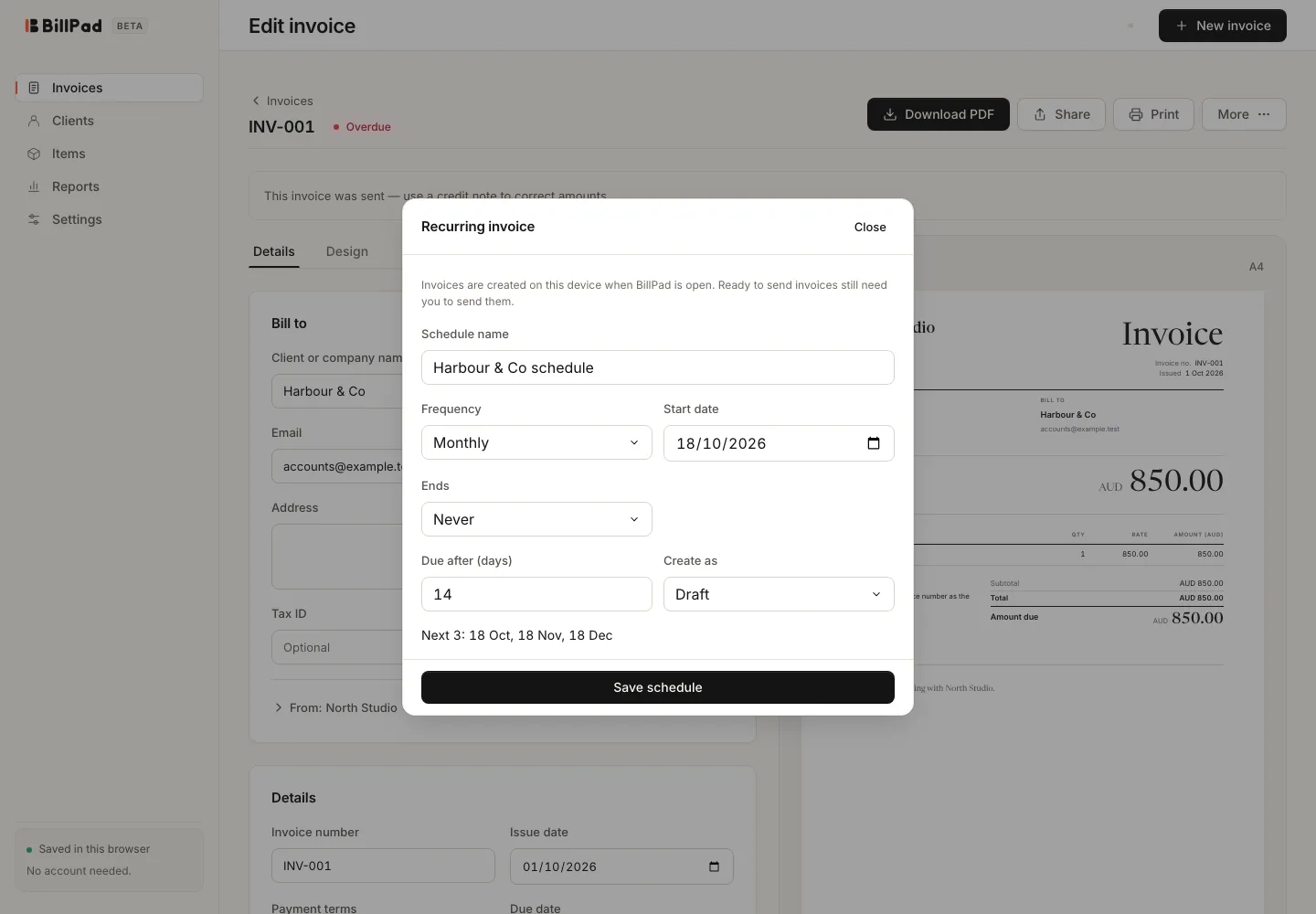
- Enter Schedule name.
- Choose Frequency and Start date. Available frequencies include Weekly, Fortnightly, Monthly, Quarterly, Yearly and Custom.
- For Custom, set Every and Period using days, weeks or months.
- Choose Ends: Never, After N invoices or On date (inclusive).
- Set Due after (days) and Create as, then review the preview and choose Save schedule.
Create as offers Draft and Ready to send. A ready-to-send invoice still requires you to send it. Check the dates and amounts before emailing or sharing each generated document.
Manage repeat work
Use the recurring list to inspect schedules and their upcoming dates. Pause a schedule when the service stops temporarily and resume it when the agreement continues. Editing the schedule changes the repeat arrangement; review already generated documents separately.
BillPad coordinates generation across tabs in supported browsers. If the app says the browser cannot safely coordinate recurring invoices, use a current browser that supports the required coordination rather than creating competing copies in several tabs.
Good to know
Generation runs on the device while the app is open. Closing the app is not a promise that a server will create or email tomorrow's invoice for you. Open BillPad regularly and check the generated drafts.
The shared 100-document beta limit can pause generation. The pending dates remain scheduled. Export a backup and contact support if capacity prevents your normal workflow; archiving retains documents and does not free slots.